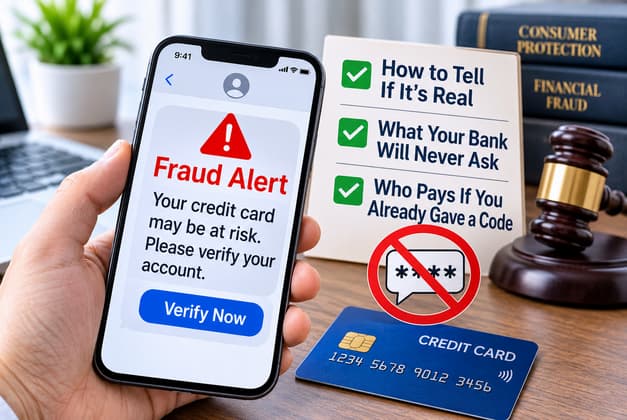
Real issuers do text about suspicious charges, so the message alone can’t tell you.
What gives a scam away is what it asks for.
If you were tricked into sharing a code, federal law generally still treats the charges as unauthorized. Report it fast.
What did you already do?
Answer 4 questions to see the red flags and your next steps →
Rules checked against Regulation Z, Regulation E, and FTC guidance on . Not legal advice.
Fraud Alert Checker
Answer four questions and this checker lists the red flags it sees, picks a tier, and orders your next steps by what you’ve already done. It reports signs, not verdicts, so it can’t confirm a message is real. Nothing you choose is stored or sent anywhere.
There are no fields for card numbers, codes, or names. Please don’t type them anywhere on this page.
Your result
Related guides: Zelle scam refund rules (if you sent money yourself) and someone opened a credit card in your name (if identity details were shared).
How Real Credit Card Fraud Alerts Work
Yes, card issuers do send fraud alert texts. When a charge looks unusual, they may text to ask whether it was you. Scammers copy that pattern, so the text alone proves nothing. The only safe check is your card's app, or the number printed on the back of your card.
Issuers watch for charges that don't fit your usual pattern. When one does, many reach out by text, push notification, or call. Capital One's security page, for example, says it may text you to confirm an attempted charge.
What a typical real alert looks like
A real alert usually names a merchant and an amount, then asks one question: was this you?
Some ask you to reply YES or NO. Others point you to the app. A YES tells the issuer the charge was yours. A NO may lead to a blocked card and a follow-up from the issuer.
Why the format can't prove anything
AT&T says scam texts can come from a ten-digit number, a short code, or even an email address. No single format proves a message is real.
A scam can copy the wording, the tone, and the urgency. So a short-code sender, or a message with no link, proves nothing.
The only safe check
- Don't tap anything in the message.
- Open your card's app yourself, or call the number on the back of your card.
- Look for the same alert or charge. Ask whether the issuer sent the text.
- If the issuer knows nothing about it, treat the text as unverified and report it.
CHECK IT. If you haven't replied, tapped, or shared anything, you're in the best position. Verify first, then decide.
Official security pages, for reference (we list no phone numbers, because numbers get spoofed and change): Chase, Bank of America, Capital One, Wells Fargo, Citi.
Real Alert or Scam? The Signs That Matter
No single sign proves a text is real or fake. Sender format, links, and accurate details can appear in both. What matters is what the message asks you to do. A request for a code, PIN, CVV, password, or money is a warning. Verify everything else in your app.
| What you see | What it may mean | What to do |
|---|---|---|
| Text from a 10-digit number, a short code, or an email address | AT&T says scam texts use all three. The format can't settle it. | Ignore the format. Check your app. |
| A link in the message | Some real messages include links. Scam links lead to look-alike pages that collect logins and card details. | Don't tap. Use your app, or type your issuer's address yourself. |
| Reply YES or NO | Real alerts use this. Scams use it to find active numbers and start a follow-up call. | Check the app first. Never follow a reply with a call to a number from the text. |
| A number to call | It can lead to a call center run by the scammers. | Don't use it. Call the number on the back of your card. |
| A request to read back or send a code | A code your bank sends is for you to type in yourself. Reading it to someone who contacted you hands them access. | Stop. Don't read, send, or forward it. |
| A request for your PIN, CVV, or online password | Your bank won't ask you to read back or send these. | Stop. Call the number on your card. |
| A request to move money to a "safe account" | A common bank-impersonation script. | Stop. Move nothing. Call the number on your card. |
| A code to add your card to Apple Pay or Google Wallet that you didn't request | Someone may already have your card details and be adding the card to a wallet. | Don't share the code. Call your issuer and ask about wallet tokens. |
| A call right after you replied, from a number that looks like your bank's | Caller ID can be faked. | Hang up. Call the number on the back of your card. |
| A deadline: "reply within 10 minutes or your card will be closed" | Pressure is a common scam tactic. A real alert will still be in your app after you check. | Take the time. Verify first. |
| The same alert or charge shows up inside your card's app | The most reassuring sign you can get without calling. | Respond there, not through the text. |
5 things your bank won't ask you to read back or send, by text or unsolicited call:
- A one-time code
- Your PIN
- Your CVV
- Your online password
- To move money to a "safe" account
One difference to know: some banks verify your identity by asking you to confirm a code they sent during a call that you placed yourself. That's your call to a number you trust. A caller who contacted you and asks for a code is a different thing.
Replying NO can't hack your phone — but it confirms your number is active.
The Follow-Up Call: "Thanks for Confirming — Now Read Me the Code"
In this scam, a text asks about a charge, you reply, and a call follows from someone posing as the bank's fraud team. Caller ID may even match your bank. They'll ask for a code. Hang up, then call the number on the back of your card.
How it unfolds
- A text says there's a suspicious charge. It asks you to reply YES or NO, or to call a number.
- You reply or call. The scammers learn that your number is active and that you're engaged.
- A caller says they're the bank's fraud department. They may use details from earlier leaks or scams to sound convincing.
- They say a code is on its way "to secure your account" and ask you to read it back. That code may be a login code, a wallet-add code, or a transfer approval.
- Next, they may tell you to move money to a "safe account." Your bank won't ask you to.
Spoofed caller ID
Scammers can fake the number on your screen. Bank of America's security guidance warns that scammers spoof legitimate phone numbers to call or text. A matching number is not proof.
What to do on the call
Say, "I'll call you back on the number on my card," and hang up. Hanging up is always allowed.
Then dial the number printed on the back of your card. Don't use redial or a call-back option.
ACT NOW. You replied and a "fraud department" called. Don't give any code, PIN, CVV, or password. Verify with your issuer on the number on your card.
CALL YOUR BANK NOW. Already gave a code on this call? Go straight to the "Gave a code" steps.
The Wallet Code Scam: Why You Got a Code to Add Your Card to Apple Pay
Issuers often send a one-time code to confirm that you want to add a card to Apple Pay or Google Wallet. If you didn't try to add a card and a code arrives, someone may already have your card details. Don't share it, and call the number on your card.
What the code does
When a card is added to a phone wallet, the issuer decides how to verify the request. One common method is a one-time code by text or email.
Anyone who has your card number, expiry date, and security code can try to add the card to a wallet on their own phone. The code is the last gate.
A fake "fraud agent" who asks you to read that code back is asking you to open the gate for them.
If you didn't request it
- Don't share or forward the code.
- Don't call any number in the message.
- Call the number on the back of your card.
- Ask whether a wallet token or new device was added to the card. Ask for any you don't recognize to be removed, not only for a new card to be sent.
- Ask for a new card number.
What to say: "I received a code to add my card to a digital wallet and I didn't request it. Please check for wallet tokens or devices on this card, remove any I don't recognize, and issue a new card number."
Read the whole message. A code that mentions adding a card to a wallet is not a code for "verifying your identity" with a fraud agent.
ACT NOW. A wallet code arrived that you didn't request, and you shared nothing. Call your issuer and ask about wallet tokens.
CALL YOUR BANK NOW. You read the code to someone. Use the "Gave a code" steps now.
Already Replied, Clicked, or Gave a Code? Do This Now
Find what you did below and follow those steps. If you replied or tapped, act within the hour. If you gave a code, card number, PIN, or password, or sent money, call the number on the back of your card now. Reporting fast matters. Write down times as you go.
Nothing yet — CHECK IT
- Don't tap, call, or reply.
- Open your card's app yourself and look for the alert, the charge, or a message from the issuer.
- If you can't find it, call the number on the back of your card and ask whether they sent it.
- Forward the text to 7726 (SPAM), then delete it.
- If the charge is real and isn't yours, tell the issuer in the app or on that call.
Replied YES or NO — ACT NOW
- Don't reply again and don't tap anything.
- Expect a call. If the caller asks for a code, PIN, CVV, or password, hang up.
- Check your card's app for the alert. Then call the number on the back of your card and tell them you replied.
- Forward the text to 7726 (SPAM).
- Watch for new codes arriving by text. Don't read any code to anyone.
Replying can't hack your phone. It shows the sender your number is active.
Tapped a link — ACT NOW (CALL YOUR BANK NOW if you entered anything)
- Close the page. Don't enter anything else, and don't install anything it offered.
- If you entered a login or card info, change that password from the real app or site, not from the link. Change it anywhere else you used it.
- Call the number on the back of your card. Say what you tapped and what you entered.
- Lock the card in your app if it has that feature.
- Check for new devices, logins, or wallet tokens on the account.
- Forward the text to 7726 (SPAM).
Gave a code — CALL YOUR BANK NOW
- Call the number on the back of your card now. Use the script below.
- Lock the card in your app.
- Ask whether a wallet token or new device was added, and have any you don't recognize removed.
- Go through recent charges with the representative, one by one.
- Ask them to open an unauthorized-use claim and give you a claim number.
- Ask for a new card number. If it was a login code, change your password from the real app.
- Write down the date, time, representative's name, and claim number.
Who pays? Read what federal law says.
Gave card number, CVV, or PIN — CALL YOUR BANK NOW
- Call the number on the back of your card now.
- Ask for a new card number. If you gave your PIN, ask for a new PIN too.
- Review recent charges with the representative and report any you don't recognize.
- Turn on in-app alerts so the next real alert reaches you where you can verify it.
- Update the new card number wherever you've saved the old one, once it arrives.
Sent money myself — CALL YOUR BANK NOW
- Call your bank now. Say you sent money to someone impersonating your bank, and ask whether the payment can be recalled.
- Write down the amount, date, how you sent it, and the recipient's details.
- Change your online banking password, and check the account for other transfers.
- Don't send more money to "fix" the problem.
- Read why this is treated differently and our Zelle scam refund rules.
| What you did | Your first three moves |
|---|---|
| Nothing yet |
|
| Replied YES/NO |
|
| Tapped a link |
|
| Gave a code |
|
| Gave card number or PIN |
|
| Sent money myself |
|
First-15-minutes call script
Call the number on the back of your card and read this. Delete the options that don't apply. Say only what's true.
I'm calling about possible fraud. Someone contacted me pretending to be you, and I [replied / clicked a link / shared a one-time code / gave my card number] at about [time]. I didn't make or approve the charges that followed. Please lock this card, remove any devices or digital wallets added today, review recent transactions with me, open an unauthorized-use claim, and issue a new card number. Can you give me a claim number and tell me what you'll send in writing?
Write down: the date, the time, the representative's name, and the claim number.
Who Pays? What Federal Law Says If You Were Tricked
Federal law generally treats charges made through fraud as unauthorized, even when you were tricked into sharing a code. Credit cards cap your liability at $50 under Regulation Z. Debit cards fall under Regulation E, where speed matters. Money you send yourself is treated differently. Nothing here promises a refund.
Credit cards: Regulation Z
Under 12 C.F.R. § 1026.12(b), "unauthorized use" means use by someone other than the cardholder who has no actual, implied, or apparent authority, and from which the cardholder gets no benefit.
Your liability for it can't exceed the lesser of $50 or the value obtained before you notified the issuer. If state law or your card agreement sets a lower limit, the lower limit applies.
The CFPB's official commentary adds that unauthorized use includes a transaction by someone who got the card from you, or otherwise started the transaction, through fraud or robbery (comment 12(b)(1)(ii)-4).
Being tricked doesn't make it authorized.
Where the answer changes
Giving your card to someone you know is different. If a family member or coworker goes beyond the authority you gave, you're liable until you tell the issuer their use is no longer authorized (comment 12(b)(1)(ii)-3). Whether someone had authority is decided under state or other applicable law (comment 12(b)(1)(ii)-1).
One more rule helps when only a card number was used. For phone or internet orders placed with the account number alone, or with details printed on the card such as the expiry date and security code, the commentary says no liability may be imposed on the cardholder (comment 12(b)(2)(iii)-3).
Debit cards and bank accounts: Regulation E
Debit cards and bank accounts follow a different rule. The CFPB's Electronic Fund Transfers FAQs say that when a third party fraudulently induces you to share account access information, such as by posing as your bank and getting a texted confirmation code, the resulting transfers are unauthorized. That answer was updated June 4, 2021.
The ABA Banking Journal reached the same conclusion on November 16, 2026.
"Unauthorized" doesn't mean your risk has no limit. Regulation E ties your maximum liability to how fast you report. Table 4 shows the tiers.
Credit vs. debit vs. "I sent it myself"
| Law | Liability limit | Tricked into sharing a code? | Reporting deadline that matters | Source |
|---|---|---|---|---|
| Credit card. Regulation Z, 12 C.F.R. § 1026.12(b) | Lesser of $50 or the value obtained before you notified the issuer. A lower state-law or card-agreement limit applies instead. | Use obtained through fraud counts as unauthorized under the official commentary. The outcome depends on the facts and the issuer's investigation. | Notify the issuer promptly. A billing-error notice must reach the issuer within 60 days after the statement showing the charge. | CFPB: § 1026.12, § 1026.13 |
| Debit card or bank transfer (the fraudster started it). Regulation E, 12 C.F.R. § 1005.6 | Depends on timing: $50, then up to $500, then potentially unlimited for later transfers. See Table 4. | The CFPB FAQ says transfers a fraudster starts with account information you were fraudulently induced to share, such as a texted confirmation code, are unauthorized transfers. | Two business days after you learn of the loss or theft, and 60 days after the statement that shows the transfer. | CFPB EFT FAQs, § 1005.6 |
| You sent it yourself (for example, Zelle or a wire to a "safe account") | No federal cap that works the same way. Your bank's policies and the payment network's rules matter. | Generally treated differently. The CFPB FAQ above covers transfers the fraudster starts. It doesn't address money you send yourself. | Call immediately. Speed can matter for any chance of a recall. | Zelle scam refund rules |
Reg E liability tiers
| When you report | Maximum liability |
|---|---|
| Within two business days after you learn of the loss or theft | The lesser of $50 or the unauthorized transfers made before you notified the bank. |
| After two business days | Up to $500. The rule adds later transfers the bank can show it could have prevented if you had reported on time. |
| You don't report within 60 days after the statement showing the transfer was sent | Potentially unlimited for transfers after that 60-day period that the bank can show timely notice would have prevented. The CFPB's commentary uses the word "unlimited." |
"Zero liability" is a policy, not a law
Visa and Mastercard publish zero-liability policies. They can go further than the law, but they come with conditions.
Visa asks you to notify your issuer right away, and says replacement funds can be withheld or rescinded for reasons that include fraud, gross negligence, or a delay in reporting. Mastercard ties its promise to reasonable care and prompt reporting.
Terms change, and your issuer applies them. Read your cardholder agreement. We treat these as policies, not rights.
What decides the outcome
Your issuer investigates. The facts matter: what you shared, when, who started each transaction, and when you reported.
No article can promise you a refund. Calling quickly and describing events accurately gives the investigation what it needs.
If You Sent the Money Yourself
If you sent the money yourself, for example to a "safe account" or through Zelle, the fraud rules that protect you from fraudster-started transfers usually don't apply the same way. Call your bank immediately, ask whether the payment can be recalled, and read our Zelle scam refund guide.
Why it's different
The CFPB FAQ covers transfers a fraudster starts using account information you were tricked into sharing. When you start the transfer yourself, that logic doesn't carry over the same way.
What you get may depend on your bank's policies and the payment network's rules. Outcomes vary, and none can be promised.
What to ask for right away
- Can the payment be stopped or recalled?
- Can you contact the receiving bank to flag the account?
- What is your process for scam claims, and what do you need from me in writing?
- Can I have a claim number?
CALL YOUR BANK NOW. Write down the amount, date, how you sent it, and where it went. Then read our guide to Zelle scam refund rules.
Put It in Writing
After you call, send a written notice. For a credit card, the issuer must receive your billing-error notice within 60 days after the statement showing the charge was sent. Use the method your issuer lists. The template below states only what's true, so edit the brackets to match your situation.
Written notice of unauthorized charges
[Date]

[Issuer name]
Attn: Billing Errors
[Billing-error address from your statement]

Re: Notice of unauthorized charges
Account ending in: [last 4 digits only]

I did not authorize the following charges:
1. [Date] - [Amount] - [Merchant]
2. [Date] - [Amount] - [Merchant]

I did not make or approve these charges and received no benefit from them. I was deceived into sharing [a code / card details] by someone impersonating [issuer name] on [date].

Under 12 C.F.R. § 1026.12(b), I request that these charges be treated as unauthorized and removed. Please acknowledge this notice in writing and send me the results of your investigation.

[Your name]
[Phone or email you want the issuer to use]
- Send it by the method your issuer lists for billing-error notices, to the billing-error address on your statement. Keep a copy and proof of delivery.
- The issuer must receive it within 60 days after it sent the first statement showing the charge (12 C.F.R. § 1026.13(b)).
- The issuer must acknowledge it within 30 days and resolve it within two billing cycles, and no later than 90 days (§ 1026.13(c)).
Using a debit card or bank account? Replace the last paragraph's citation with "These are unauthorized electronic fund transfers under Regulation E, 12 C.F.R. § 1005.6." Call right away; Table 4 shows why timing matters.
For the full billing-error process, read how to dispute a credit card charge. To see what happens while the issuer investigates, read provisional credit, explained. For general next steps on charges you didn't make, see unauthorized credit card charges.
Report the Text — and Protect Your Identity
Forward the text to 7726 (SPAM), report it in your phone's messages app, and file a report at ReportFraud.ftc.gov. If you also shared your Social Security number or other identity details, use IdentityTheft.gov too. Reporting helps your carrier spot and block similar messages.
Three reports, a few minutes
- Forward it to 7726 (SPAM). The FTC says this helps your wireless provider spot and block similar messages. AT&T says forwarded messages are free and don't count toward your text plan. CTIA has guidance too.
- Report it in your messages app. Apple's Messages app has "Report Junk." Google's Messages app has "Block & report spam."
- File at ReportFraud.ftc.gov. Tell the FTC what happened.
Before you delete the message, take a screenshot showing the sender and time. It can help your claim.
When to add IdentityTheft.gov, a credit freeze, or a fraud alert
If you shared your Social Security number, date of birth, or ID details, or you see accounts you didn't open, go to IdentityTheft.gov for a recovery plan.
A credit freeze limits access to your credit report, which makes it harder to open new accounts in your name. A fraud alert asks creditors to verify your identity first. Both are free.
If someone has opened a card in your name, read what to do.
How to Make Future Alerts Safer
Turn on your issuer's in-app alerts so real warnings show up where you can verify them. Use the card lock feature, consider virtual card numbers if your issuer offers them, and never act from the message itself. Open the app or call the number on your card instead.
- Turn on in-app alerts. A real alert will then appear in the app as well as in a text.
- Use card lock. If your issuer offers it, lock the card while you check an alert.
- Use virtual card numbers for online shopping, if your issuer offers them. A leaked virtual number is easier to replace than your real one.
- Keep your contact details current so real alerts reach you.
- Save the number from the back of your card as a contact you create yourself. Then you never need to trust a number in a message.
- Never act from the message itself. Open the app or call that number.
- Never read a code to someone who contacted you.
If a real fraud hold ever blocks a purchase, see why a card is declined with available credit.
Frequently Asked Questions About Fraud Alert Texts
These are the questions people ask most after a fraud alert text or a follow-up call. Each answer is short and practical, and none is legal advice. If you already shared a code, card number, or login, skip ahead and use the steps in the "Already replied" section.
Do credit card companies send fraud alert texts?
Yes. Issuers may text to confirm an unusual charge, and Capital One's security page says so, for example. Scammers copy this, so check your app before you act on any alert.
How do I know if a fraud alert text is real?
You can't tell from the text alone. Open your card's app or call the number on the back of your card, and look for the same alert or charge.
Can replying "NO" to a scam text hack my phone?
No. But a reply confirms that your number is active, and it can lead to a follow-up call. Don't tap links, and don't call numbers in the message.
Do banks send links in fraud alerts?
Some real messages may. You can't tell by looking, so treat every link as unverified and use your app instead.
Will my bank ever ask for a verification code?
Banks send codes for you to type in yourself, or to confirm a call you placed to a trusted number. They won't ask you to read back or send a code to someone who contacted you.
Someone called from my bank's number — is it real?
You can't tell. Caller ID can be faked. Hang up and call the number on the back of your card.
Why did I get a code to add my card to Apple Pay?
Issuers send codes to verify wallet additions. If you didn't try to add a card, someone may already have your card details. Don't share the code, and call your issuer.
I gave a scammer my code — am I liable?
Federal law generally treats transactions started through fraud as unauthorized. For a credit card, liability is capped at $50. For a debit card, it depends on how fast you report. Outcomes depend on the facts and the investigation, so call now.
Does the $50 limit apply if I was tricked?
For credit cards, $50 is the legal ceiling on liability for unauthorized use, and the official commentary counts fraud-induced use. Many issuers go further by policy. It doesn't cover a charge you made or approved yourself.
Is a debit card treated differently?
Yes. Debit cards and bank accounts fall under Regulation E, where your maximum liability depends on how quickly you report. See Table 4.
What if I sent the money myself?
That's generally treated differently from a transfer the fraudster started. Call your bank immediately and see the section above.
How fast do I have to report it?
Right away. For debit cards, two business days after you learn of the problem gets the lowest cap. For credit cards, notify the issuer promptly, and get your billing-error notice to the issuer within 60 days after the statement.
Will my bank give me a new card number?
Ask for one, especially if your card number, CVV, or a code was shared. Your issuer decides how and when. Ask what you can use in the meantime.
How do I report a scam text?
Forward it to 7726 (SPAM), report it in your messages app, and file at ReportFraud.ftc.gov.
Should I freeze my credit?
If only a card number, code, or login was shared, your first step is a new card number. If your Social Security number, birth date, or ID details were shared, consider a freeze or fraud alert and visit IdentityTheft.gov.
Does this affect my credit score?
Reporting fraud doesn't lower your score by itself. Keep paying the part of your bill that isn't disputed, because a late payment on it can be reported.
Sources: 12 C.F.R. § 1026.12 and commentary, § 1026.13, § 1005.6, CFPB Electronic Fund Transfers FAQs, ABA Banking Journal (Nov. 16, 2026), FTC: How to Recognize and Report Spam Text Messages, ReportFraud.ftc.gov, IdentityTheft.gov, AT&T on scam texts and 7726, CTIA.
Last updated:
This article is general information, not legal advice. Whether a transaction is unauthorized depends on the facts and on your issuer's investigation, and nothing here promises a refund. Rules checked against Regulation Z, Regulation E, and FTC guidance on November 22, 2026.

Daniel Hayes is the founder and sole researcher at AdvoraHQ. He covers U.S. personal finance, insurance, and consumer law — working directly from IRS publications, federal and state statutes, court opinions, and SEC filings rather than secondary summaries. His focus is the gap between what readers think they know and what the source documents actually say. Daniel is not a licensed attorney, CPA, or financial advisor; his articles are educational and not personalized advice. Reach him at Daniel.Hayes@advorahq.com.